· Updated · 6 min read
From Tooling Fatigue to 'Mise en Place': Consolidating My Dev Stack
Ditching the manager soup of tfenv, nvm, and pyenv for a single, declarative source of truth.
Too Many Managers, Not Enough Magic
I’ve spent years building cloud-native systems, backend services, and frontend applications, but recently my local development environment started feeling like a house of cards.
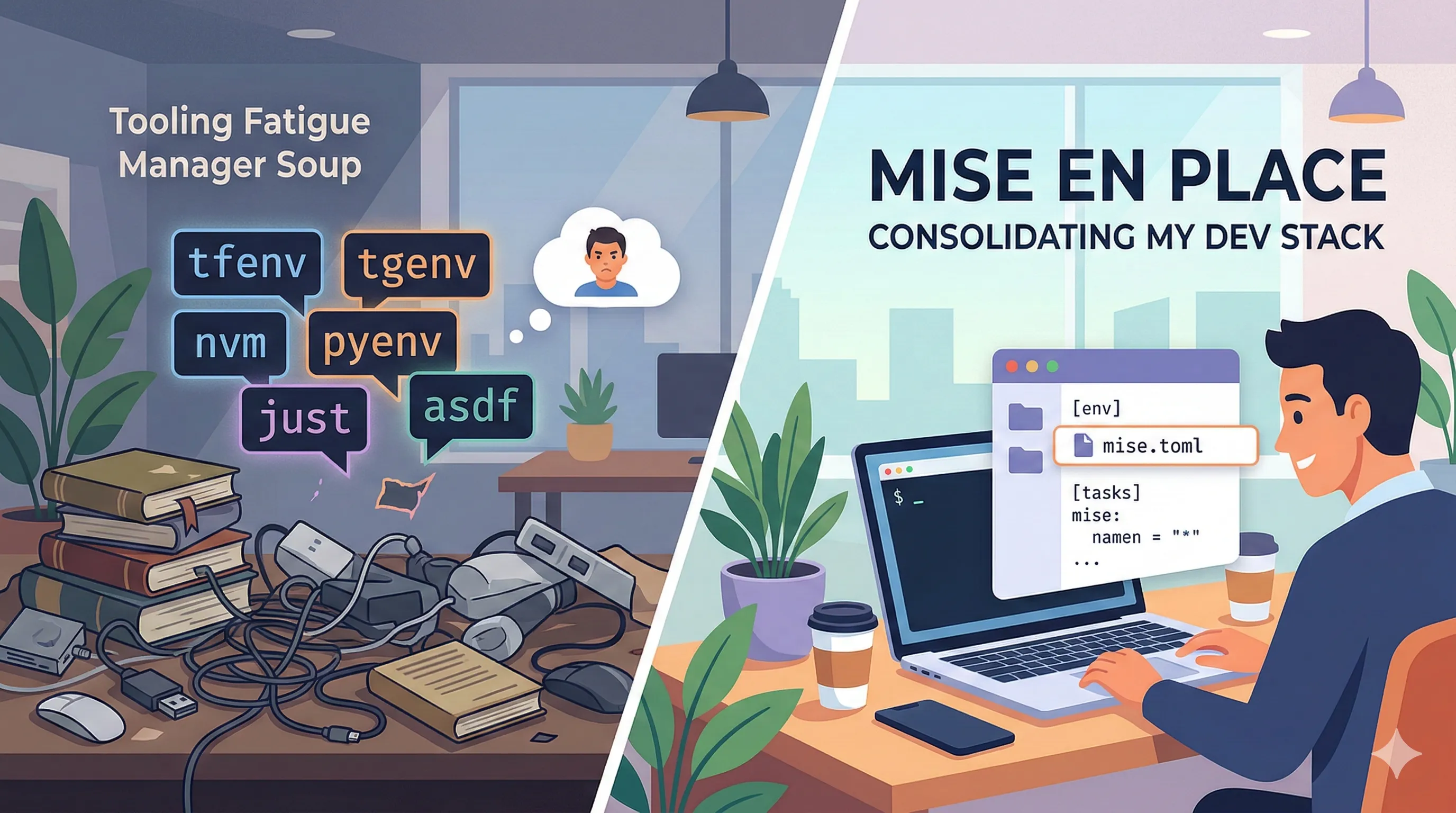
It wasn’t the code; it was the “manager soup.” To get a single project running, I was juggling tfenv for Terraform, tgenv for Terragrunt, nvm for Node, pyenv for Python, and asdf for… everything else. Each one has its own syntax, its own way of “shimming” binaries, and its own hidden version file.
The breaking point? Refreshing my development machine. I realized I had to manually reinstall and reconfigure half a dozen meta-tools before I could even run go mod tidy. It was death by a thousand “command not found” errors. I wanted Mise en Place—everything in its place—not a junk drawer of version managers. That’s when I decided to move everything to mise.
Migrating Without Breaking Everything
The switch didn’t require breaking everything on day one. One of mise’s best features is that it reads legacy version files like .nvmrc and .terraform-version out of the box. That let me replace the old version managers in one go while moving each project’s configuration into mise gradually.
Eventually, I moved everything into a single mise.toml. I also took the opportunity to consolidate my environment variable management. While I still use .env files to keep secrets and sensitive values out of Git, I now load them directly in mise using the _.file option.
[env]
# Loads your existing secrets without extra shell hooks
_.file = ".env"
APP_PORT = "8080"
One dev Task for the Whole Stack
One of the biggest wins in this migration was moving away from a separate justfile. While just is a solid command runner, mise treats tasks as first-class citizens that understand your environment and dependencies.
In my previous setup, spinning up a full environment meant opening three terminal tabs or writing a brittle bash script. With mise, I’ve consolidated my Go backend, Python/Django services, and Astro frontend into a single, concurrent workflow.
The Dependency Tree
The real power is in depends and parallel execution. Because the docker task uses --wait, my containers (Postgres, Redis, etc.) are up and healthy before the compilers even touch my code.
[tasks.docker]
description = "Spin up infrastructure"
run = "docker compose up -d --wait"

[tasks.backend]
description = "Start the Go monoservice"
depends = ["docker"]
run = "go run main.go"

[tasks.frontend]
description = "Start the Astro dev server"
run = "npm run dev"

[tasks.dev]
description = "Start the full stack"
# mise runs dependencies concurrently by default
depends = ["backend", "frontend"]
Why This Is Cleaner
- One Command: I just type
mise run dev. - Context Awareness: When
tasks.backendruns,miseuses the Go version pinned in the[tools]section of the samemise.toml. - Environment Injection: Every task automatically has access to my secrets and config without me having to prefix commands with
dotenvor source files manually.
A Note on CI/CD
While mise is a local powerhouse, I still rely on native GitHub Actions for CI workflows. Why? GitHub API rate limits. Automatically fetching toolchains in a high-velocity CI environment can lead to flaky builds, so I keep the “magic” for my local machine and keep the CI “boring” and stable.
If you do want mise in CI, the official jdx/mise-action installs the tools from your mise.toml and caches them. Passing a GITHUB_TOKEN raises the rate limit enough for most pipelines.
Standing on the Shoulders of Giants
Before I wrap up, it’s worth noting that while I’ve consolidated my workflow, the tools I moved away from—tfenv, tgenv, nvm, pyenv, just, direnv, and asdf—remain world-class at what they do. The creators and contributors of these projects solved massive, fundamental problems for the engineering community. They provided the blueprint for modern environment management and have served me reliably for years.
My move to mise isn’t about these tools being “lesser”; it’s about a shift in how I prefer to handle context switching. Mise offers a unified, declarative approach that fits my current mental model for managing polyglot environments in a single file.
If you are just starting to explore tool management, I’d actually encourage you to try both paths. Spend some time with the specialized managers and the “all-in-one” approach of mise. Tooling is a deeply personal part of a developer’s DX; finding the one that removes the most friction for you is what matters most.
The Final Result: A Unified mise.toml
To wrap things up, here is what a consolidated mise.toml looks like when you bring the runtimes, environment variables, and tasks together for a project.
[tools]
pre-commit = "latest"
python = "3.14"
semgrep = "latest"
uv = "latest"

[env]
PYTHONDONTWRITEBYTECODE = "1"
PYTHONUNBUFFERED = "1"
_.file = ".env"
# mise creates and activates the virtual environment (and adds .venv/bin to PATH),
# so there's no more `source .venv/bin/activate` every time you change directories.
_.python.venv = { path = ".venv", create = true }

[tasks.install]
run = "uv sync"
description = "Install dependencies"

[tasks.serve]
run = "uv run python manage.py runserver"
description = "Run django development server"

[tasks."celery:worker"]
run = "watchmedo auto-restart --recursive --directory=./ --patterns='**/*.py' -- uv run celery -A config worker -l info"
description = "Run celery worker"

[tasks."celery:beat"]
run = "watchmedo auto-restart --recursive --directory=./ --patterns='**/*.py' -- uv run celery -A config beat -l info --scheduler django_celery_beat.schedulers:DatabaseScheduler"
description = "Run celery beat"

[tasks."test:unit"]
run = "uv run pytest"
env = { DJANGO_ENV = "testing" }
description = "Run tests"

[tasks."test:e2e"]
run = "uv run pytest e2e"
env = { DJANGO_ENV = "testing" }
description = "Run E2E tests"

[tasks.test]
run = [{ task = "test:unit" }, { task = "test:e2e" }]
description = "Run all tests (unit + E2E)"

[tasks."docker:up"]
run = "docker compose -f compose.dev.yml up -d"
description = "Start docker stack"

[tasks."db:migrate"]
run = "uv run python manage.py migrate"
description = "Run database migrations"

[tasks.dev]
run = [
  { task = "docker:up" },
  { task = "db:migrate" },
  { tasks = [
    "serve",
    "celery:worker",
    "celery:beat",
  ] },
]
description = "Run development environment (Docker + Django + Celery)"
Lessons Learned: The Clarity of a Clean Stack
Moving to mise wasn’t just about deleting a few hidden files. It was about reducing the “background radiation” of local development. After a few months with this setup, here are my takeaways:
The Single Source of Truth is Real: There is a massive cognitive win when you stop asking, “Wait, which tool is managing Python right now?” Having your runtimes, environment variables, and tasks in one mise.toml means the answer is always in one place.
Don’t Fight the CI/CD Reality: Know where the tool ends and the platform begins. Native GitHub Actions setup steps keep my pipelines boring and free of rate-limit surprises; if you bring mise into CI, use mise-action with a token.
Cleanup is Cathartic: While mise reads legacy files, don’t let them linger forever. Consolidating everything into one mise.toml is what keeps a repository clean.
The “One Tool” Mindset: I didn’t realize how much I tolerated tooling friction until it was gone. Now, my environment feels like it was designed, not just accumulated.
If you’re feeling the weight of “manager soup,” give mise a shot. Your future self (and your refreshed dev machine) will thank you.
Tags
- development
- mise
- tooling
- productivity
References
- mise
A unified tool manager and task runner for local development environments.
- tfenv
Terraform version manager.
- tgenv
Terragrunt version manager.
- nvm
Node.js version manager.
- pyenv
Python version manager.
- asdf
A version manager that supports multiple languages and tools.
- just
A command runner for project-specific tasks.
- mise-action
GitHub Action that installs mise and the tools defined in mise.toml.
- direnv
A tool for managing environment variables per project.
Feedback
Thoughts or corrections? Drop me a line at feedback@buckbrady.com or find me on GitHub at voidrot.
A note on AI: To assist with editorial review and visual elements, AI tools may be utilized in the creation of these posts. Technical insights and opinions remain entirely my own.